
TabGroup Vault
Keep your tab groups safe, searchable, and restorable
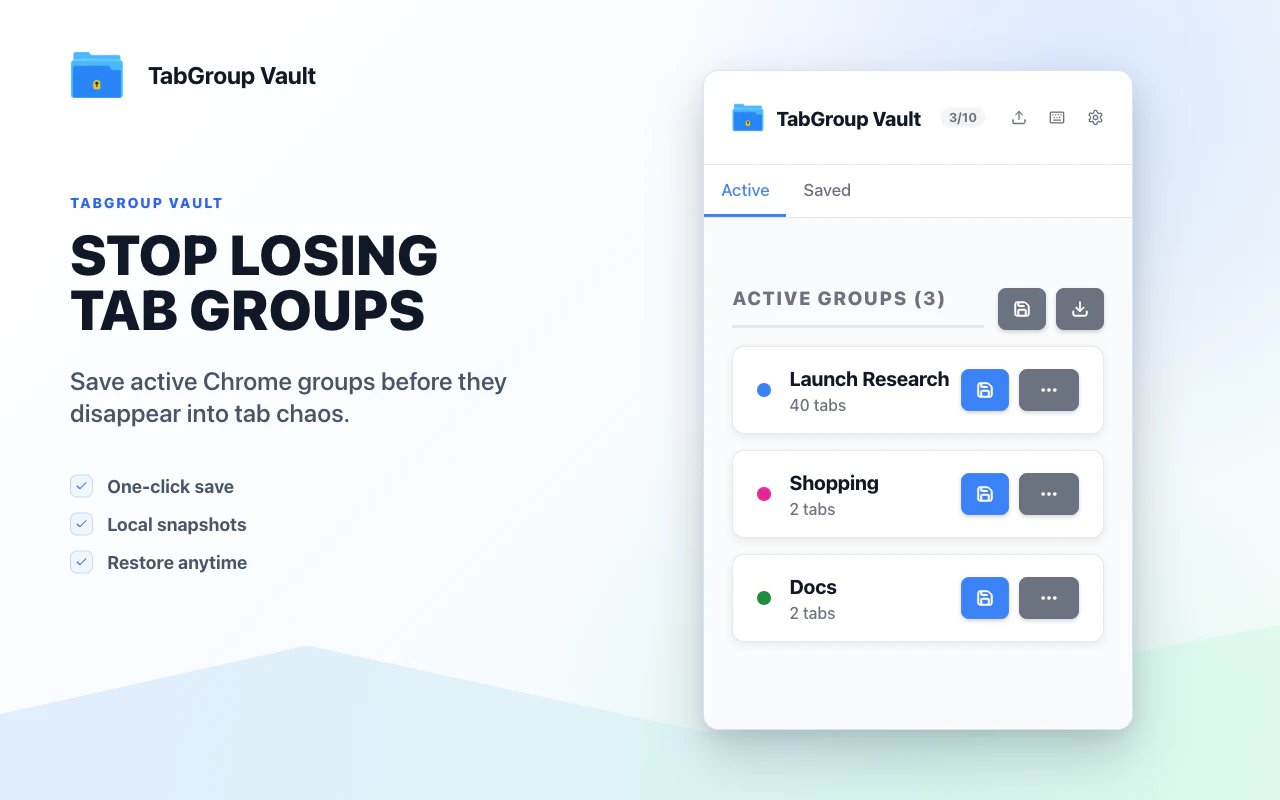
TabGroup Vault keeps every Chrome tab group safe, searchable, and ready to restore. Install the free extension or upgrade to Pro to unlock multiwindow session restore, auto-save, unlimited snapshots, and cloud sync.
AI Analysis
TabGroup Vault is a Chrome extension that keeps tab groups safe, searchable, and easily restorable. It solves key pain points like losing curated tab collections from crashes, accidental closures, or browser restarts, which disrupt productivity workflows. Core features include creating snapshots of tab groups, powerful search, and instant restore. The free version offers basics while Pro unlocks auto-save, unlimited snapshots, multi-window session restore, and cloud sync. The value proposition is transforming volatile Chrome tab groups into persistent, organized assets for heavy browser users, enhancing productivity and reducing context-switching costs.
In 2025-2026, remote/hybrid work, AI-powered research, and complex web-based workflows continue to drive higher tab usage. Chrome tab groups are widely adopted but lack native persistence and search, creating demand for complementary tools. Productivity SaaS is growing with stable browser APIs and user willingness for subscriptions. Potential risks include browsers adding similar native features or AI tab summarizers reducing need. Overall favorable for niche productivity extensions. Rating: Moderate Timing.
Technical implementation is straightforward using mature Chrome Extension APIs for tabs, groups, and storage. Development and operation costs are low for an indie or small team, with main expenses in cloud infrastructure for Pro sync. Minimal supply chain risks; compliance focuses on data privacy for cloud features (e.g. GDPR). High scalability potential as user base grows. Strong team fit for extension developers. Overall highly feasible. Rating: High.
Main target segments: Tech-savvy power users including software developers, researchers, digital marketers, analysts, and students who heavily rely on Chrome (ages 25-45, higher income). Geographic focus: Global with strongest adoption in North America, Europe, and East Asia. Estimated market size: TAM for browser productivity tools ~$2B+, SAM for tab/session managers ~$150M, SOM for tab group tools ~$10-20M. Core pain points: Loss of tab context, difficulty rediscovering saved groups, manual organization overhead. Potential willingness to pay: Medium-high; power users likely to subscribe to Pro for cloud/auto features ($3-10/mo).
Competition Level: Medium. Direct competitors: 1. Session Buddy (sessionbuddy.com), 2. Tab Session Manager (tab-session-manager.sienori.com), 3. OneTab (www.one-tab.com), 4. Workona (workona.com). Advantages: Tight integration with native Chrome Tab Groups, emphasis on searchable 'vault' and snapshots for versioning, auto-save and cloud sync in Pro. Disadvantages: Newer entrant with smaller brand recognition, features overlap with established free tools, limited to Chrome ecosystem. Differentiation is strong in treating tab groups as restorable knowledge assets rather than just session backups.
Upgrade Pro to unlock full AI analysis
Similar Products

Adapt
The company brain that gets work done
▲ 124 votes

Tapfree for Chrome
Voice dictation that adapts to what’s on your screen
▲ 122 votes

Buddy AI Note
Your daily memo that turns notes into a plan
▲ 94 votes

Kosshi
Simple, fast outliner for Mac and iPhone.
▲ 90 votes

Thoughts for Mac
Capture notes from your menubar using text, images or voice
▲ 90 votes

Refoid
Automate App Store refund responses and track every outcome
▲ 68 votes