
TinyBridge
Headless VM to run Linux in Mac - you can see the GUI also
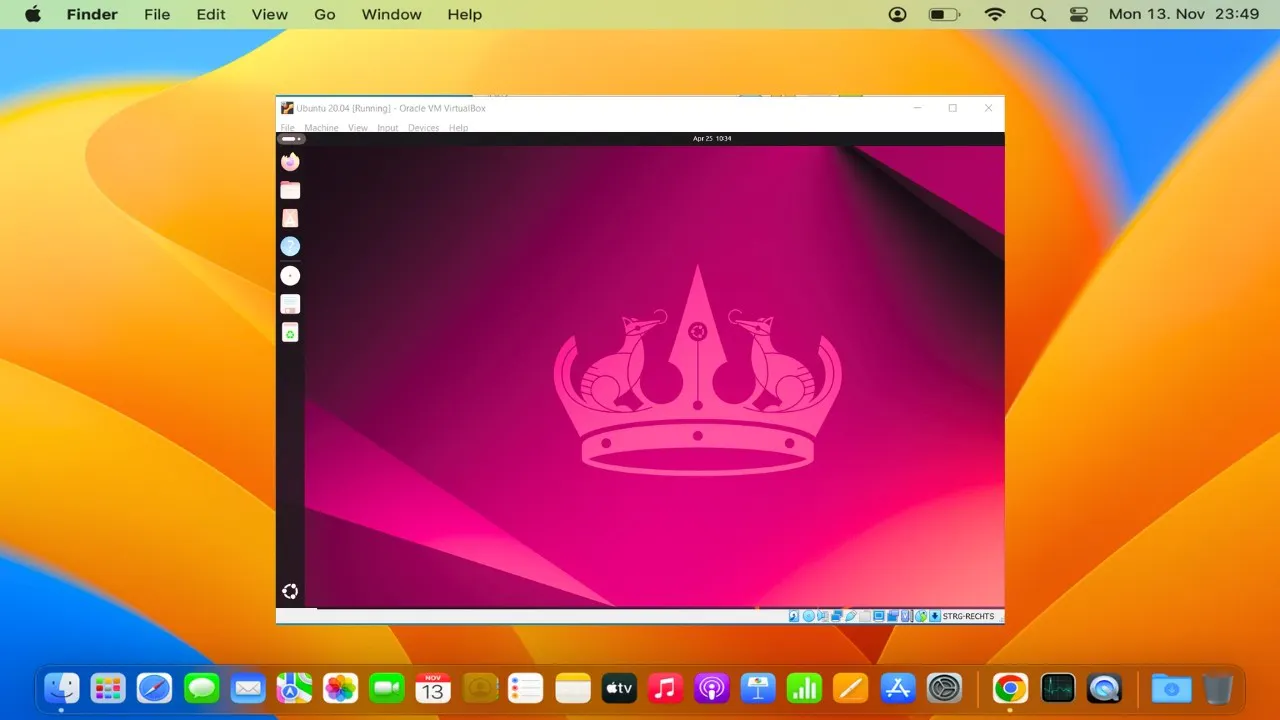
ou want a real Linux VM that: Boots in seconds, not minutes Has a desktop you can actually see Runs headless when you need it (same VM, no restart) Stays running even after you close the app Doesn't require a PhD to set up TinyBridge solves this. One command. Full Linux. On demand. Try - brew install tinybridge
AI Analysis
TinyBridge provides a real Linux VM on Mac that boots in seconds, offers a visible desktop GUI, and supports seamless headless operation on the same instance without restarts. The VM persists after closing the app and installs via a single 'brew install tinybridge' command. It addresses key pain points like slow boot times, complex configurations requiring advanced expertise, inflexible GUI/headless switching, and non-persistent environments. The core value is an on-demand, full Linux setup that's simple for developers needing quick, flexible Linux access without heavy resource overhead or PhD-level setup.
In 2025-2026, developer productivity tools are booming with AI coding assistants, rising macOS adoption in tech, and demand for efficient local dev environments amid cloud cost concerns. Apple's silicon architecture creates ongoing need for compatible Linux tooling. Tech maturity for fast VMs (e.g. via Apple's Hypervisor framework) is high, and user demand for simplified setups over complex Docker/VM alternatives is growing. Favorable policy for open-source and dev tools. Excellent Timing.
Technical difficulty is medium as it builds on mature Mac virtualization frameworks (e.g. HVF/QEMU); one-command install reduces user friction. Development costs are moderate for a focused tool, with low ongoing operation costs since it's primarily client-side. Minimal supply chain or compliance risks if open-source. Strong scalability via GitHub distribution. Requires VM expertise but high feasibility for experienced developers. Rating: High.
Primary users: Mac-based software developers, DevOps engineers, and open-source contributors (ages 25-40), concentrated in tech industries like software, web dev, and data science, mainly in US, Europe, and China. Estimated TAM for Mac dev tools ~$5B+, SAM for Linux VM solutions ~$300M, SOM ~$30M for easy-setup segment. Core pain points: time wasted on VM setup/booting and lack of flexible modes. High willingness to pay for premium support, though core product appears free via brew/GitHub.
Medium. Direct competitors: 1. Lima (github.com/lima-vm/lima), 2. UTM (mac.getutm.app), 3. OrbStack (orbstack.dev), 4. Colima (github.com/abiosoft/colima), 5. Multipass (canonical.com/multipass). Advantages: faster boot claims, true persistence after app close, seamless GUI-to-headless on same VM, simplest one-command setup. Disadvantages: likely less feature-rich (e.g. fewer customization options) than Lima/UTM, newer with potentially smaller community, no mention of advanced networking or GPU support compared to established alternatives.
Upgrade Pro to unlock full AI analysis
Similar Products

Opaline
PostHog for team Claude Code and Codex sessions.
▲ 141 votes

React UI Kit V7
All the chat components you need. None of the complexity
▲ 115 votes

Replay QA Security Scan
Automated Penetration Testing for AI-Built Apps
▲ 102 votes

Kosshi
Simple, fast outliner for Mac and iPhone.
▲ 90 votes

Audryo
Customer email your agent can operate.
▲ 68 votes

Refoid
Automate App Store refund responses and track every outcome
▲ 68 votes