
Vitals
A Mac activity monitor that thinks in apps, not processes
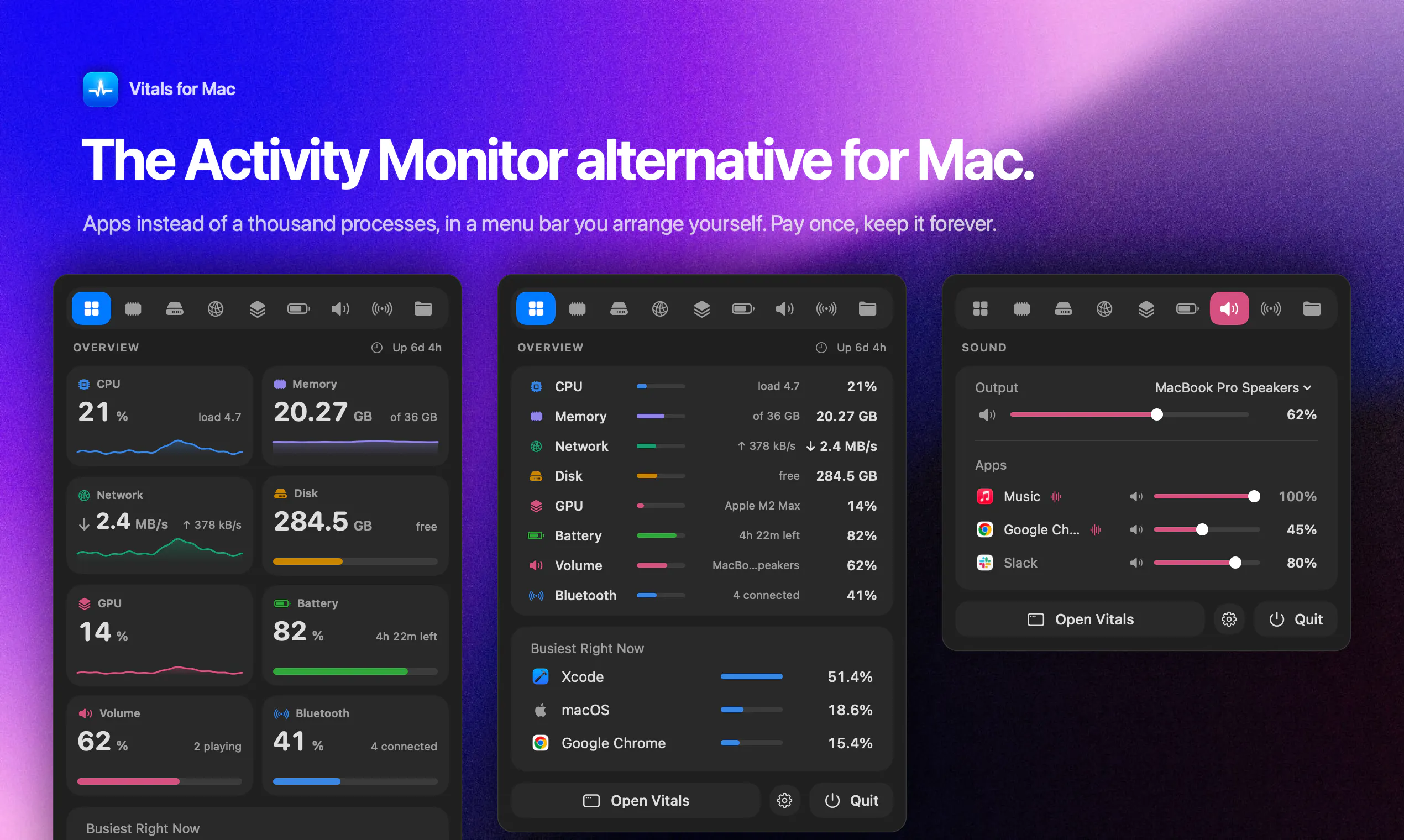
Activity Monitor lists a thousand processes, a hundred of them called Google Chrome Helper. Vitals adds every helper to the app that launched it, so you see 60 apps instead of 1,000 processes, each with one figure for memory, CPU, energy, disk and network. It keeps 30 days of history, alerts you when an app misbehaves, finds forgotten dev servers, and shows temperatures, fans and battery. Every readout can sit in your menu bar, arranged your way. Pay once. No subscription, no account.
AI Analysis
Vitals is a macOS activity monitor that groups processes by parent apps, simplifying views from 1,000+ processes (like multiple Chrome Helpers) to ~60 apps with unified metrics for CPU, memory, energy, disk, and network. Core features include 30-day history, alerts for misbehaving apps, detection of forgotten dev servers, plus sensors for temperatures, fans, and battery. All readouts are customizable in the menu bar. It solves the pain of overwhelming, process-heavy traditional monitors like Activity Monitor. USP: app-centric insights, comprehensive history/alerts, and one-time purchase with no subscription or account required. Overall value: efficient, insightful system monitoring for power users.
Favorable in 2025-2026 due to growing macOS user base, increasing complexity from AI/ML apps and background services driving demand for smarter monitoring. Focus on energy efficiency, battery life, and developer productivity aligns with trends. No major economic or policy barriers for utility software. Excellent Timing.
High. Leverages mature macOS APIs for monitoring (moderate technical difficulty). Low ongoing operation costs as a one-time purchase desktop app with no servers needed. Minimal compliance risks. Strong scalability for updates. Suitable for indie developers with proven similar apps in market. Key risks: macOS permission changes, but overall highly feasible.
Primary segments: macOS power users, software developers, and IT professionals (ages 25-45, tech-savvy, often in North America and Europe). Industries: software engineering, design, and content creation. TAM for macOS utilities ~ tens of millions; SAM for monitoring tools ~5M users; SOM ~200k-500k potential customers. Core pains: confusing process lists and undetected resource hogs. High willingness to pay for one-time licenses ($20-50 range) given productivity gains.
Medium. Direct competitors: 1. iStat Menus (bjango.com/istatmenus), 2. Stats (github.com/exelban/stats), 3. MenuMeters (github.com/yujitach/MenuMeters), 4. CleanMyMac X (macpaw.com). Advantages: unique app-level grouping, 30-day history, misbehavior alerts, and dev server detection with pure one-time pricing. Disadvantages: less comprehensive hardware sensors than iStat Menus, newer brand with smaller installed base, lacks some polish of established players.
Upgrade Pro to unlock full AI analysis
Similar Products

Opaline
PostHog for team Claude Code and Codex sessions.
▲ 141 votes

React UI Kit V7
All the chat components you need. None of the complexity
▲ 115 votes

Replay QA Security Scan
Automated Penetration Testing for AI-Built Apps
▲ 102 votes

Kosshi
Simple, fast outliner for Mac and iPhone.
▲ 90 votes

Thoughts for Mac
Capture notes from your menubar using text, images or voice
▲ 90 votes

Refoid
Automate App Store refund responses and track every outcome
▲ 68 votes