
Vocabi
Translate, save & memorize words while you read
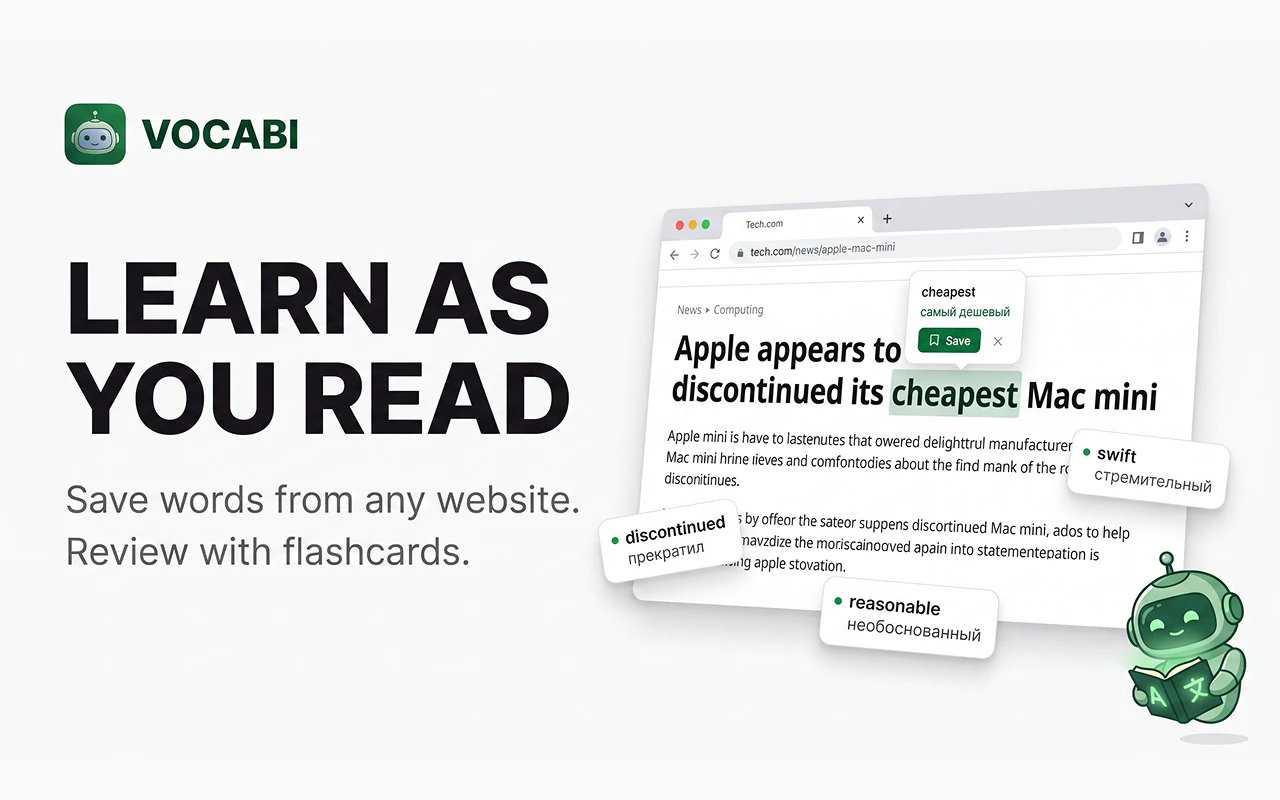
Most people look up a word and forget it by tomorrow. Vocabi fixes that. Hover over any word while reading → translation appears. Click Save → goes to your dictionary. Open Flashcards → spaced repetition does the rest. → Works on any website → 10 languages supported → No account. Works offline. Private by default. Built for language learners who actually read.
AI Analysis
Vocabi is a Chrome extension that enables seamless vocabulary acquisition while reading. Core features: hover any word on any website for instant translation (10 languages supported), one-click save to personal dictionary, and spaced repetition flashcards for memorization. It works offline, requires no account, and prioritizes privacy. It solves the key pain point of looking up words only to forget them shortly after by integrating translation, saving, and active recall without disrupting reading flow. USP: universal website compatibility, simplicity, and effective long-term retention via SRS. Overall value proposition is effortless, private language immersion for dedicated readers and learners.
Favorable in 2025-2026 due to maturing AI translation tech enhancing accuracy, sustained global demand for language skills amid remote work and internationalization, and rising preference for privacy-focused, offline-first tools post-data scandals. User demand for integrated, non-disruptive learning during habitual reading (news, ebooks) is growing. Browser-based tools are stable and widely adopted. Not saturated yet in the specific hover-translate + built-in SRS niche. Rating: Excellent Timing.
High feasibility. Technical difficulty is manageable for a Chrome extension using web APIs, local dictionaries for offline support, and standard SRS algorithms. Low development and operation costs as it's lightweight and likely indie-built. Minimal supply chain or compliance risks (emphasizes privacy, no accounts). Excellent scalability as a digital product with potential for more languages or premium features. Strong team fit for solo developers or small edtech teams. Key risks: maintaining translation quality across sites without heavy API dependency. Rating: High.
Primary segments: Adult language learners (18-40 years), university students, expats/immigrants, and avid readers of foreign-language content (news, literature). Industries: Education, self-improvement, travel. Geographic: Global, with high concentration in Europe, East Asia (China, Japan, Korea), Latin America, and US/Europe non-native English speakers. Language learning market TAM exceeds $50B, SAM for digital/vocab tools ~$5-10B, SOM for browser extension niche ~$200-500M. Core pain points: vocabulary retention failure and workflow interruption. Willingness to pay: Moderate to high for effective, frictionless tools; many freemium models succeed in this space.
Medium. Direct competitors: 1. Readlang (readlang.com), 2. LingQ (lingq.com), 3. Language Learning with Netflix/YouTube extensions like Language Reactor (languagereactor.com), 4. Mate Translate (mate-translate.com), 5. FluentU (fluentu.com). Advantages vs competitors: Truly universal (any site), no account/login barrier, full offline capability, privacy-first, simple hover-to-save + integrated SRS. Disadvantages: Fewer languages (only 10), likely lacks rich community/content library or advanced analytics that LingQ/Readlang offer; may trail in translation depth without premium AI. Good differentiation through minimalism and retention focus.
Upgrade Pro to unlock full AI analysis
Similar Products

Adapt
The company brain that gets work done
▲ 124 votes

Tapfree for Chrome
Voice dictation that adapts to what’s on your screen
▲ 122 votes

Kosshi
Simple, fast outliner for Mac and iPhone.
▲ 90 votes

Thoughts for Mac
Capture notes from your menubar using text, images or voice
▲ 90 votes

WikiFix for Confluence
Find and fix issues in your knowledge base
▲ 86 votes

Refoid
Automate App Store refund responses and track every outcome
▲ 68 votes