
CacheTray
Capture anything & send it to Claude or ChatGPT in one click
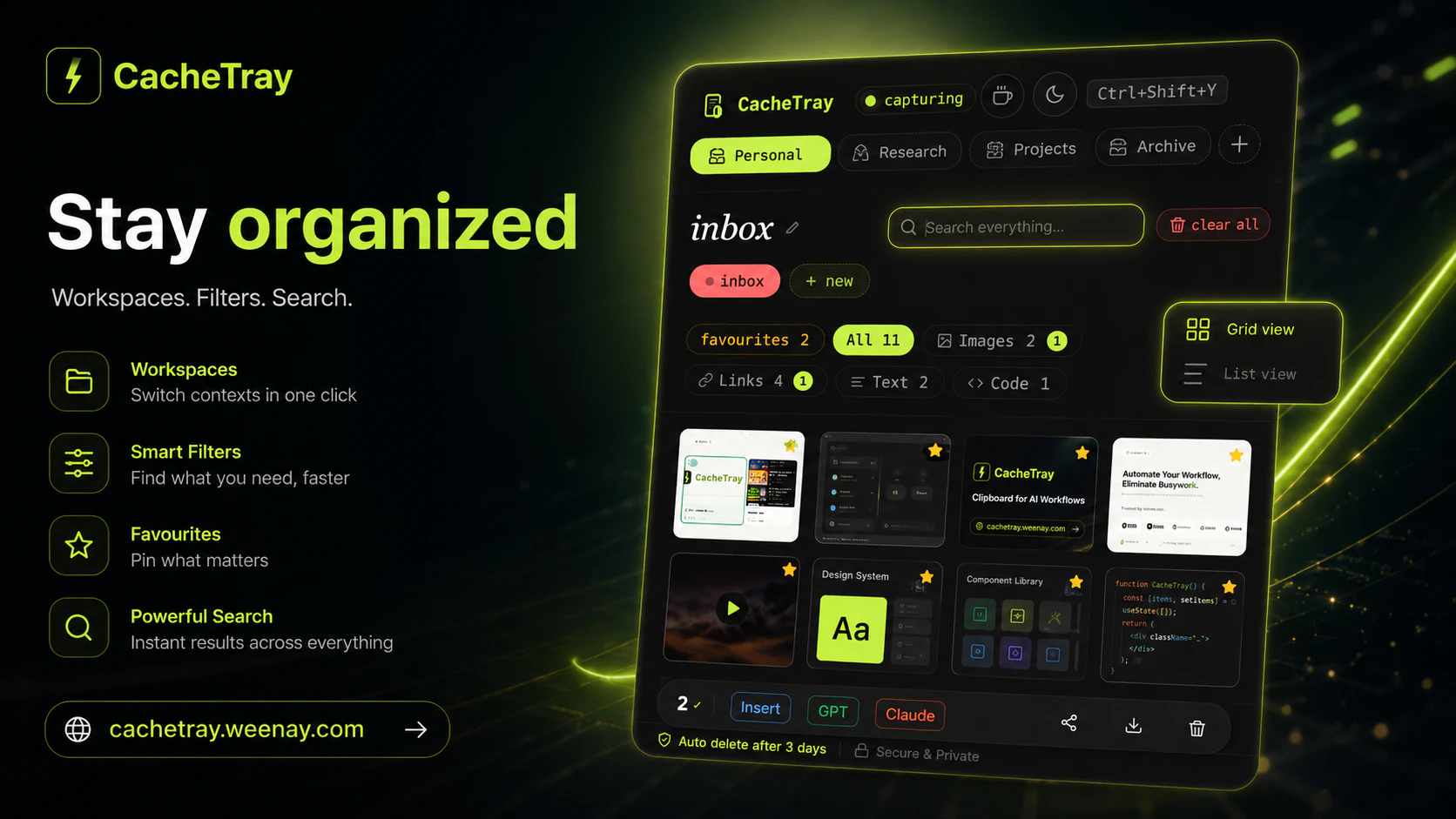
CacheTray lives in your browser and auto-captures everything you copy — code,links, images, and text — the moment you hit Ctrl+C. Send items directly into Claude, ChatGPT, or any NotebookLM in one click. Bulk share via AirDrop, WhatsApp, or Telegram. Smart categorization, fast search (#code, #link, #image), named workspaces, and image capture with preview. Pause anytime for privacy. 100% local — no account, no tracking.
AI Analysis
CacheTray is a Chrome extension that auto-captures copied content (code, links, images, text) on Ctrl+C. Users can send items with one click to Claude, ChatGPT, or NotebookLM, organize via smart categories, tagged search (#code, #link), named workspaces, and image previews. It supports bulk sharing through AirDrop, WhatsApp, or Telegram, includes a privacy pause, and runs 100% locally with no accounts or tracking. It solves pain points of cluttered clipboard management, inefficient context sharing with AI tools, and privacy concerns. The value proposition is a seamless, private productivity boost for AI-heavy workflows.
In 2025-2026, AI adoption is surging with tools like Claude and ChatGPT becoming daily essentials for knowledge workers. Browser-based AI integrations are maturing, user demand for frictionless clipboard-to-AI workflows is rising amid remote/hybrid work trends. Privacy concerns drive preference for local tools. Economic tailwinds for productivity SaaS remain positive. This is an Excellent Timing as it directly aligns with AI workflow optimization trends.
Technical difficulty is low-medium: leverages standard Chrome clipboard and storage APIs with no backend required. Development and operation costs are minimal for a local extension. No significant supply chain or compliance risks due to zero data collection. Strong scalability as a digital product that can expand to more AI services. Overall High feasibility with quick iteration potential. Key reasons: proven extension tech stack and privacy-first design reduces barriers.
Primary users: software developers, AI/ML engineers, researchers, content creators, and productivity-focused knowledge workers (ages 25-40). Industries: tech, education, consulting. Geographic focus: North America, Europe, and East Asia tech hubs. TAM for AI productivity tools exceeds $10B, SAM for clipboard/AI extensions ~$500M, SOM for this niche ~$50M. Core pain points include lost copied context and slow AI prompting. Potential willingness to pay is moderate-high for premium workspace or advanced features despite current local/free model.
Competition level: Medium. Direct competitors: 1. Maccy (maccy.app) - lightweight Mac clipboard manager; 2. Raycast (raycast.com) - productivity launcher with clipboard history and AI commands; 3. Paste (pasteapp.com) - advanced clipboard with search and sharing; 4. Alfred (alfredapp.com) - Mac workflow tool with clipboard features. Advantages: superior one-click AI integrations (Claude/ChatGPT), full local privacy, tag-based search for AI content, and cross-app bulk sharing. Disadvantages: Chrome-only (vs cross-platform desktop apps), newer with less brand recognition, and potentially fewer advanced automation features than Raycast or Alfred.
Upgrade Pro to unlock full AI analysis
Similar Products

Opaline
PostHog for team Claude Code and Codex sessions.
▲ 141 votes

Adapt
The company brain that gets work done
▲ 124 votes

Replay QA Security Scan
Automated Penetration Testing for AI-Built Apps
▲ 102 votes

Kosshi
Simple, fast outliner for Mac and iPhone.
▲ 90 votes

Thoughts for Mac
Capture notes from your menubar using text, images or voice
▲ 90 votes

Refoid
Automate App Store refund responses and track every outcome
▲ 68 votes