
CodeLook
Quick Look code previews with 700+ editor themes
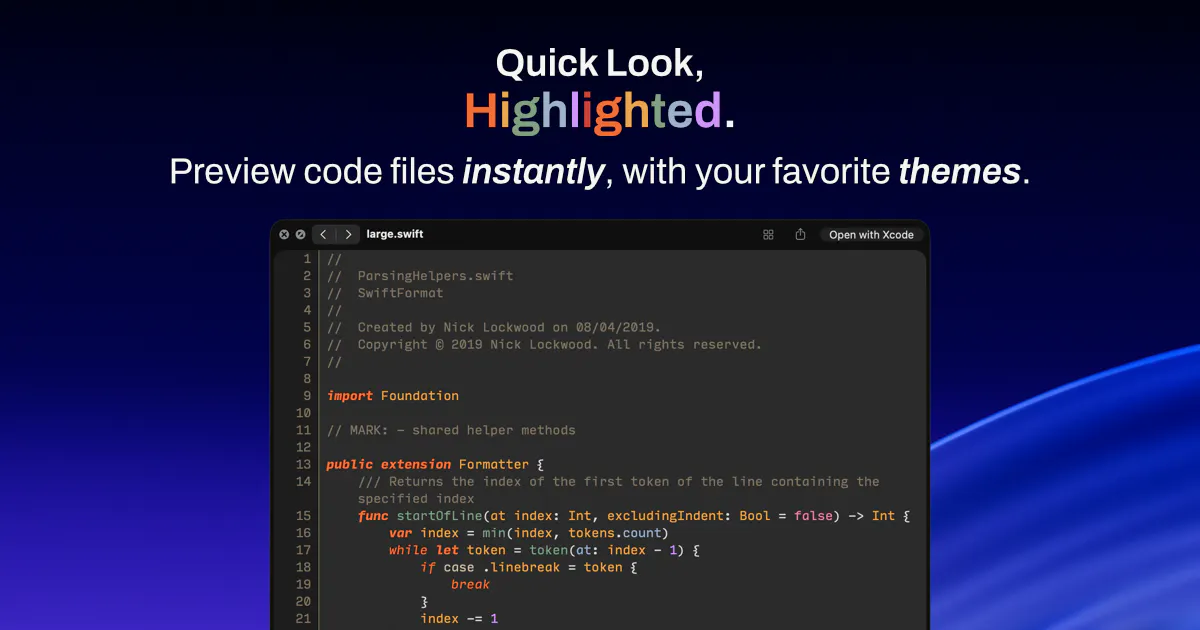
A Quick Look extension for macOS. Preview code files instantly with 700+ themes that match text editors, syntax highlighted via Tree-sitter. 100% private. One-time purchase.
AI Analysis
CodeLook is a macOS Quick Look extension that enables instant previews of code files in Finder with accurate syntax highlighting powered by Tree-sitter and support for 700+ themes matching popular text editors. Core USPs include perfect visual matching to editors like VS Code, complete 100% privacy with no tracking or data collection, and a one-time purchase instead of recurring fees. It solves key pain points for developers: inefficient workflows from launching heavy IDEs to inspect files and poor default macOS previews lacking proper highlighting or themes. The value proposition is streamlined productivity, better readability, and a seamless, private experience for Mac-based coding tasks.
The current market timing is favorable for 2025-2026. Developer productivity tools remain in high demand amid growing software industry and remote work trends. Tree-sitter technology is mature, macOS continues strong adoption among developers, and there is rising fatigue with subscription models favoring one-time purchases. Heightened privacy concerns align perfectly with its 100% private design. While AI coding assistants are trending, they complement rather than replace basic utilities like this. Excellent Timing.
High. Technical difficulty is low to medium using well-documented macOS Quick Look APIs and open-source Tree-sitter for parsing. Development and operation costs are minimal with no backend servers required. No major supply chain or compliance risks beyond standard App Store/distribution guidelines. Strong scalability for adding languages/themes. Fits solo or small teams experienced in Mac apps.
Main target users: macOS software developers, engineers, and indie programmers (ages 25-45) in tech, software, and web development industries, concentrated in North America, Europe, and tech hubs in Asia. TAM for global developer tools ~$10B+, SAM for Mac productivity utilities ~$500M-$1B, SOM for niche Quick Look code previewers ~$10-30M. Core pain points: time wasted opening editors for simple file checks and inadequate syntax/theme support. High willingness to pay for time-saving, high-quality one-time purchase tools.
Medium. Direct competitors: 1. QLColorCode (https://github.com/sbarex/QLColorCode), 2. Quick Look Plugins by Sindresorhus (https://github.com/sindresorhus/quick-look-plugins), 3. Path Finder (https://cocoatech.com/path-finder), 4. Markdown and Code QuickLook variants (https://github.com/sindresorhus/QLMarkdown). Advantages: unmatched 700+ editor theme library, precise Tree-sitter highlighting, strong privacy focus, and one-time pricing. Disadvantages: potentially less brand awareness as a newer product, may require manual installation, and limited to macOS only compared to cross-platform alternatives.
Upgrade Pro to unlock full AI analysis
Similar Products

Adapt
The company brain that gets work done
▲ 124 votes

Replay QA Security Scan
Automated Penetration Testing for AI-Built Apps
▲ 102 votes

Kosshi
Simple, fast outliner for Mac and iPhone.
▲ 90 votes

WikiFix for Confluence
Find and fix issues in your knowledge base
▲ 86 votes

Audryo
Customer email your agent can operate.
▲ 68 votes

Refoid
Automate App Store refund responses and track every outcome
▲ 68 votes