CtrlOps
Deploy, Debug & Manage Linux Servers with AI.
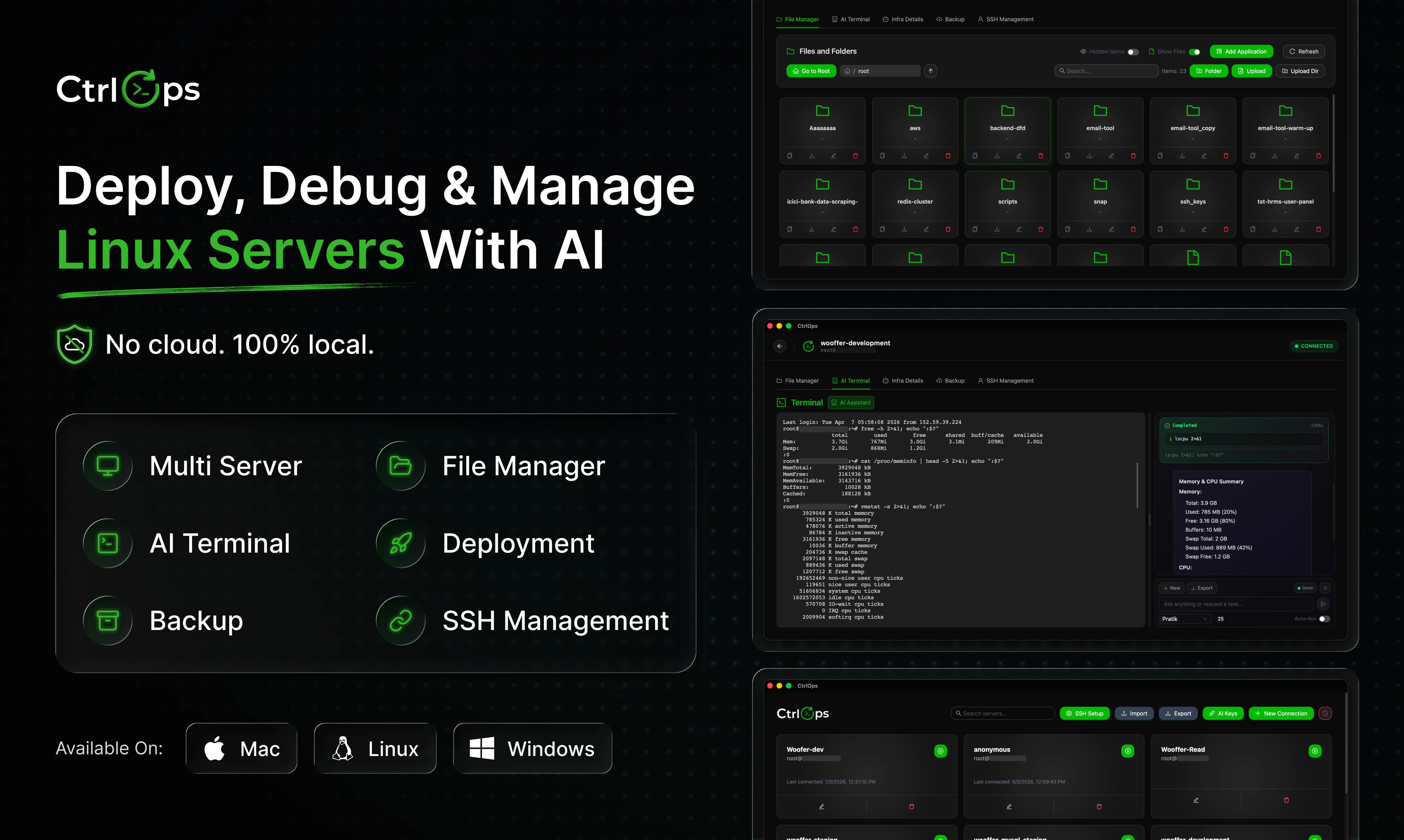
Most devs manage servers from a spreadsheet of IPs and commands nobody remembers. CtrlOps gives you AI-powered server management without DevOps expertise. AI terminal that generates commands with your approval. Scripts library. One-click deploys from any GitHub repo. Visual file manager. Real-time server monitoring. Zero agents on servers. Deployments that took 60 minutes now take 5. 100% local. Your credentials never leave your machine. Mac. Windows. Linux.
AI Analysis
CtrlOps simplifies Linux server management for developers lacking DevOps expertise. It solves pain points like relying on spreadsheets of IPs, forgotten commands, and time-consuming deployments (reducing 60min tasks to 5min). Core features include an AI terminal for generating/approving commands, a scripts library, one-click GitHub repo deploys, visual file manager, real-time monitoring, and agentless access. Unique selling points are 100% local processing (credentials never leave the machine), cross-platform support (Mac, Windows, Linux), and AI accessibility without complexity. The value proposition is secure, efficient, expert-level server operations for non-specialists.
The timing is favorable for 2025-2026 as AI integration in developer tools matures rapidly, with growing demand for automation to address DevOps talent shortages. Local AI models are becoming reliable and privacy-focused, aligning with rising security concerns and remote work trends. Economic pressures push for efficiency in infrastructure management. Overall, it capitalizes on the AI DevTools boom. Excellent Timing.
High feasibility. Technical difficulty is moderate leveraging existing SSH for agentless ops and local LLMs for AI. Cross-platform desktop development is standard. Low operational costs post-launch, minimal supply chain risks, and strong scalability as a per-user tool. Compliance is simplified by local credential handling. Main risk is AI command accuracy, mitigated by user approval flow. Fits well for AI-focused dev teams.
Primary users: Individual developers, indie hackers, small tech teams, and startups managing Linux servers (ages 25-40, tech professionals). Industries: Software development, web services, AI/ML ops. Geographic: Global with concentration in US, Europe, China tech hubs. TAM for DevOps/AIOps tools exceeds $10B; SAM for AI server management ~$1B; SOM for desktop AI tools ~$100M+. Core pains: Lack of DevOps skills, manual errors, slow setups. High willingness to pay for time-saving, secure tools (likely freemium/subscription).
Medium. Direct competitors: 1. Warp (warp.dev) - AI terminal, 2. Tabby (tabby.sh) - self-hosted AI terminal, 3. Termius (termius.com) - SSH client with management, 4. Cockpit (cockpit-project.org) - web-based server admin, 5. Ansible (ansible.com) - automation without AI. Advantages: Fully local/secure (no agents, credentials stay local), GitHub one-click deploys, visual tools tailored for non-DevOps users. Disadvantages: Newer product may lack maturity/ecosystem compared to established tools; relies on user approval to mitigate AI errors where competitors offer proven scripts.
Upgrade Pro to unlock full AI analysis
Similar Products

Cohere Parse 5
Turn complex docs, tables & images into AI-ready data
▲ 158 votes

Adapt
The company brain that gets work done
▲ 124 votes

Replay QA Security Scan
Automated Penetration Testing for AI-Built Apps
▲ 102 votes

WikiFix for Confluence
Find and fix issues in your knowledge base
▲ 86 votes

Audryo
Customer email your agent can operate.
▲ 68 votes

Refoid
Automate App Store refund responses and track every outcome
▲ 68 votes