
Finderlock
Lock Mac files in Finder with Touch ID & AES-256
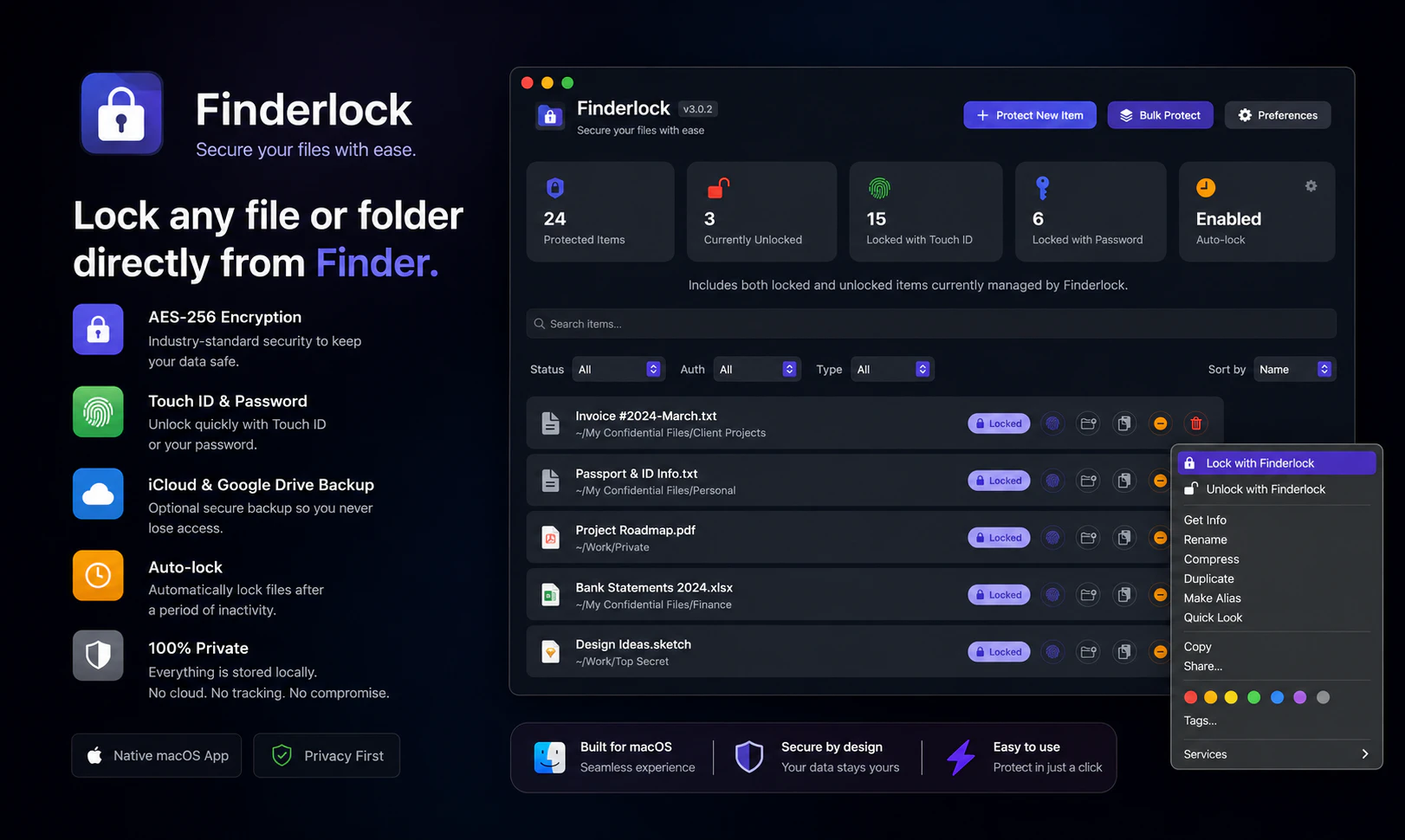
FinderLock is a native macOS app that lets you lock any file or folder in Finder with Touch ID or a password. AES-256 encryption — the same standard used by banks. Unlike FileVault (full-disk only), FinderLock protects individual files with one click. Double-click to unlock, auto-lock when idle, and lock icon badges right in Finder. Everything stays on your Mac. No accounts, no cloud, no telemetry. Free plan included. One-time purchase — no subscription.
AI Analysis
FinderLock is a native macOS app that allows users to lock any file or folder directly in Finder using Touch ID or password, secured by AES-256 encryption. Core features include one-click locking, double-click unlocking, automatic lock when idle, and visible lock icon badges. It solves the key pain point of protecting individual sensitive files without full-disk encryption like FileVault, while keeping all data local with no accounts, cloud, or telemetry. The value proposition is simple, secure, privacy-first file protection with a free plan and one-time purchase.
In 2025-2026, rising data privacy concerns, remote/hybrid work trends, and skepticism toward cloud services create strong demand for local, easy-to-use file security tools. Apple's continued focus on privacy features and Touch ID maturity align well. While built-in options exist, granular per-file solutions remain underserved amid growing AI-related data risks. Overall: Excellent Timing.
Technical difficulty is moderate, leveraging standard macOS APIs for Touch ID, AES-256, and Finder integration. Development costs are reasonable for a native app with low ongoing operational expenses (no servers/cloud). Minimal supply chain or compliance risks beyond standard encryption standards. High scalability via App Store. Overall rating: High.
Main target segments: Privacy-conscious macOS users including professionals in legal, finance, healthcare, journalism, and tech; freelancers and individual users handling sensitive documents. Primarily demographics aged 25-55, tech-savvy, located in North America and Europe. Core pain points: complex or overly broad encryption methods for specific files. The market shows strong demand for local security tools with high willingness to pay for convenient one-time purchases.
Competition level: Medium. Direct competitors: 1. Espionage (taoeffect.com/espionage), 2. VeraCrypt (veracrypt.fr), 3. Encrypto by MacPaw (macpaw.com/encrypto), 4. Cryptomator (cryptomator.org). Advantages: deep Finder integration, native Touch ID, auto-lock, visual badges, free plan, one-time purchase, fully local. Disadvantages: Mac-only, potentially narrower feature set than cross-platform or volume-based encryption tools.
Upgrade Pro to unlock full AI analysis
Similar Products

Adapt
The company brain that gets work done
▲ 124 votes

Replay QA Security Scan
Automated Penetration Testing for AI-Built Apps
▲ 102 votes

Kosshi
Simple, fast outliner for Mac and iPhone.
▲ 90 votes

Thoughts for Mac
Capture notes from your menubar using text, images or voice
▲ 90 votes

WikiFix for Confluence
Find and fix issues in your knowledge base
▲ 86 votes

Refoid
Automate App Store refund responses and track every outcome
▲ 68 votes