
Operations
Turn every new tab into your personal dashboard
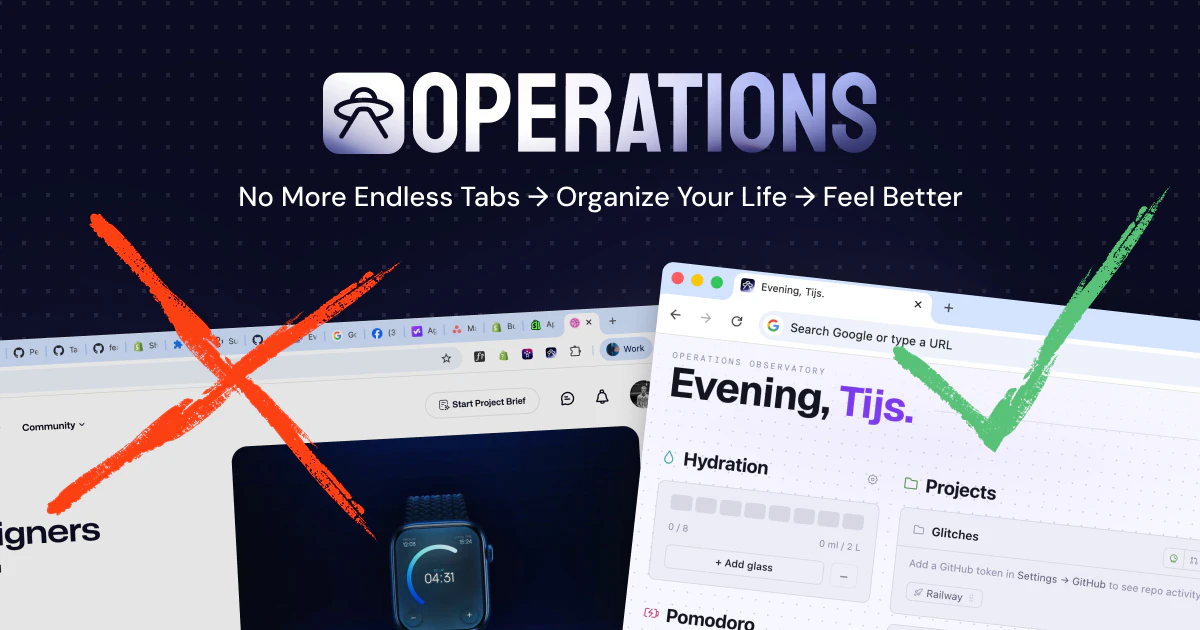
Most new tab extensions show you the weather. Operations shows you your work. Projects with their links and notes in one card, a browsable bookmark library, a vault for snippets and tokens, a Pomodoro timer, a water tracker. Five themes to match your taste, with a theme generator and custom layouts on the way. Everything lives in your browser, nothing on our servers. Built by two indie makers from the Netherlands who needed it themselves.
AI Analysis
Operations is a Chrome extension that transforms every new tab into a personalized work dashboard. Core features include project cards with links/notes, a bookmark library, a local vault for snippets/tokens, Pomodoro timer, water tracker, and multiple themes. Unique selling points: fully local storage with zero server data for privacy, built by two indie Dutch makers for their own needs. It solves pain points like unproductive generic new tabs, fragmented access to work resources, and lack of focus tools. Value proposition: boosts daily productivity by centralizing work essentials in the browser with customization on the horizon.
Favorable in 2025-2026 due to maturing browser extension ecosystems, rising demand for privacy-focused local-first tools amid data regulations, continued remote work trends, and growing need for integrated productivity dashboards over generic ones. Technology for Chrome APIs is stable; user shift toward personalized work tools aligns well. No major economic barriers for indie SaaS-like extensions. Excellent Timing.
High. Low technical difficulty using standard Chrome extension APIs and web tech. Minimal dev/operation costs with no servers or backend. Low compliance risks (local data avoids heavy privacy regs). Perfect team fit as built by two makers solving their own problem. Strong scalability via Chrome Web Store distribution. Main risk is user adoption in a crowded extensions market. High.
Main segments: tech professionals, developers, freelancers, and productivity enthusiasts (ages 25-45) in software, digital marketing, and remote work. Geographic focus: Europe, North America, global tech hubs. Estimated market size: Chrome productivity extensions reach millions of users; TAM for browser-based productivity tools in hundreds of millions of dollars, SAM for new tab dashboards tens of millions, SOM for this niche several million dollars annually. Core pains: disorganized work access and distracting defaults. Moderate to high willingness to pay for premium customization.
Medium. Direct competitors: 1. Momentum (momentumdash.com), 2. Infinity New Tab (infinitynewtab.com), 3. Start.me (start.me), 4. Toby (tobyapp.com). Advantages vs competitors: deeper work/project focus with integrated vault/Pomodoro, strict local-only privacy, no bloat. Disadvantages: newer with smaller user base, fewer themes currently, less marketing reach than established players. Strong differentiation in 'operations' orientation for developers over general inspiration widgets.
Upgrade Pro to unlock full AI analysis
Similar Products

Opaline
PostHog for team Claude Code and Codex sessions.
▲ 141 votes

Adapt
The company brain that gets work done
▲ 124 votes

Replay QA Security Scan
Automated Penetration Testing for AI-Built Apps
▲ 102 votes

Kosshi
Simple, fast outliner for Mac and iPhone.
▲ 90 votes

Thoughts for Mac
Capture notes from your menubar using text, images or voice
▲ 90 votes

Refoid
Automate App Store refund responses and track every outcome
▲ 68 votes