
SizzleAir
Thermal assistant for fanless MacBook Airs
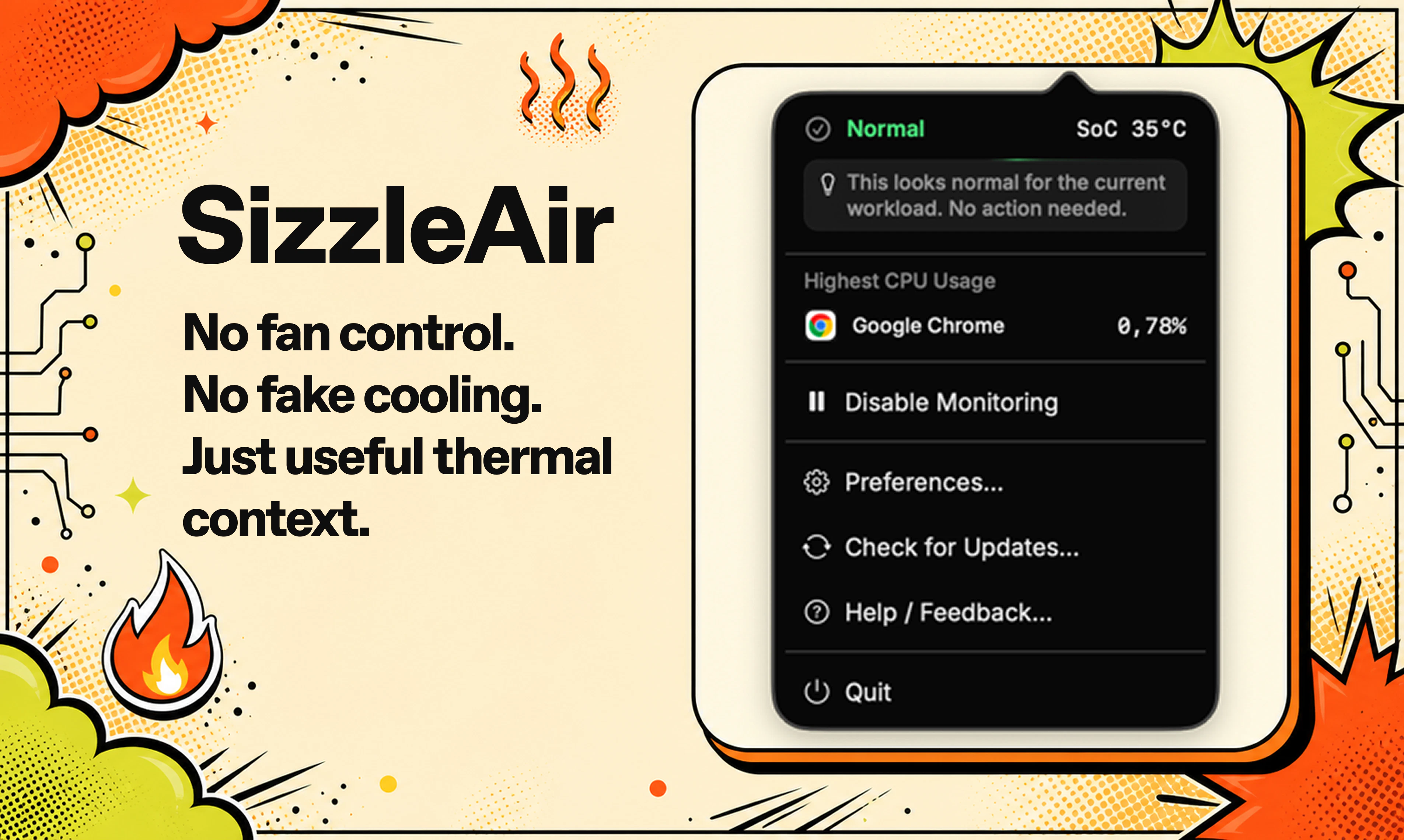
SizzleAir is a tiny macOS thermal assistant built specifically for fanless MacBook Airs. Instead of another sensor wall, it turns thermal pressure, workload context, external display or clamshell state, and top CPU usage into one clear status, likely cause, and practical next step. No fake cooling, no fan control, no giant dashboard.
AI Analysis
SizzleAir is a lightweight macOS thermal assistant built specifically for fanless MacBook Airs. It integrates thermal pressure, workload context, external display or clamshell state, and top CPU usage into one clear status, likely cause, and practical next step. It solves key pain points like thermal throttling, performance degradation, and confusing sensor overload during intensive tasks. Unlike bloated monitoring tools or ineffective 'cooling' utilities, its USP is focused, actionable guidance without fan control or complex dashboards. The value proposition is simple, effective thermal intelligence to sustain productivity on Apple's fanless hardware.
Favorable in 2025-2026 as AI workloads, local LLMs, and developer tools increase thermal demands on popular fanless M-series MacBook Airs. Technology maturity of Apple Silicon is high, but users demand software optimizations amid rising performance expectations and remote work trends. No major regulatory hurdles. Excellent Timing.
High feasibility. Technical difficulty is low-medium as it uses standard macOS APIs for sensors and process monitoring; no hardware involved. Low dev/operation costs, minimal supply chain or compliance risks for a small utility app. Strong scalability via digital distribution and updates. Fits solo developer or small team profile.
Primary users: MacBook Air owners (M1-M4), developers, programmers, content creators, and tech professionals aged 25-45. Concentrated in North America, Europe, and East Asia. TAM: millions of active MacBook Air units; SAM: ~300k-500k users seeking performance utilities; SOM: 10-20k initial adopters. Core pains: throttling during compiles, AI tasks, or multi-monitor use. Moderate-high willingness to pay for targeted productivity tools ($10-30 one-time).
Low. Direct competitors: 1. iStat Menus (bjango.com/mac/istatmenus), 2. TG Pro (tunabellysoftware.com/tgpro), 3. Stats (github.com/exelban/stats), 4. MenuBar Stats. Advantages: extreme focus on one clear actionable insight tailored to fanless Airs vs. raw sensor walls; avoids bloat/fake features. Disadvantages: narrower scope, newer entrant with less brand trust and fewer total metrics than comprehensive tools.
Upgrade Pro to unlock full AI analysis
Similar Products

Adapt
The company brain that gets work done
▲ 124 votes

Replay QA Security Scan
Automated Penetration Testing for AI-Built Apps
▲ 102 votes

Kosshi
Simple, fast outliner for Mac and iPhone.
▲ 90 votes

WikiFix for Confluence
Find and fix issues in your knowledge base
▲ 86 votes

Audryo
Customer email your agent can operate.
▲ 68 votes

Refoid
Automate App Store refund responses and track every outcome
▲ 68 votes