Snapdown
Turn anything on your Mac screen into clean Markdown
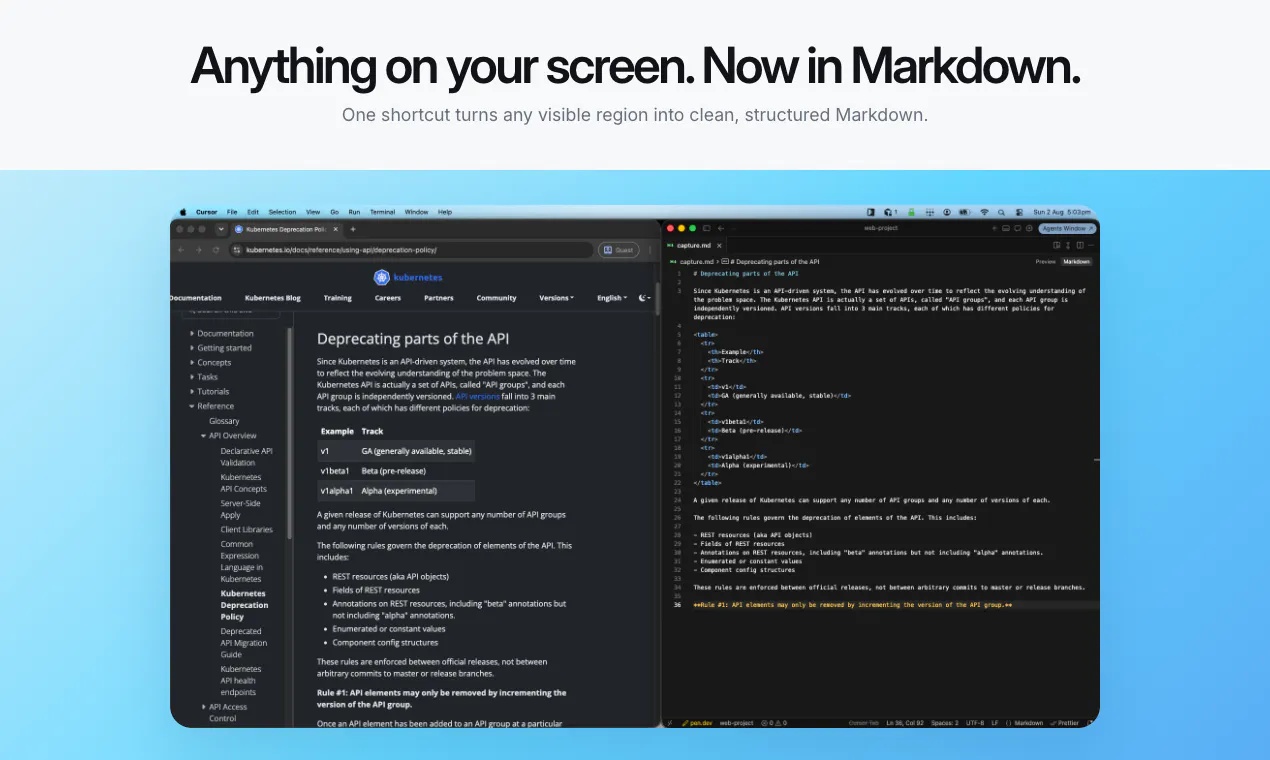
Snapdown turns any part of your Mac screen into structured Markdown, preserving headings, lists, tables, and text instead of flattening everything into plain OCR. Capture with one shortcut, paste anywhere, and keep every screenshot local on Apple silicon.
AI Analysis
Snapdown is a macOS app that captures any screen area and converts it into structured Markdown, intelligently preserving headings, lists, tables, and text formatting rather than flattening to plain OCR text. Core features include one-shortcut capture, local-only processing on Apple silicon for privacy, and instant pasting into any editor. It solves key pain points for users who waste time manually transcribing or fixing inaccurate OCR from screenshots, diagrams, or docs. The value proposition centers on speed, accuracy, and seamless integration for maintaining structure in digital workflows.
Favorable in 2025-2026 due to booming AI productivity tools, maturity of on-device ML (especially Apple Intelligence), rising demand for privacy-focused local processing, and Markdown's growing adoption in dev and content tools. Economic push for efficiency apps supports this. Not saturated yet. Excellent Timing.
High feasibility. Technical difficulty is medium (relies on CV/ML for structure detection but leverages mature Apple frameworks). Low dev/operation costs as a one-time or simple license software product. No supply chain issues; minimal compliance risks since fully local. Strong scalability and fit for small Apple-focused team. Launched product shows viability.
Primary users: Mac-based developers, technical writers, product managers, and students (ages 25-45). Industries: software engineering, content creation, education. Mainly North America/Europe. Core pain: time lost converting visual structured content to editable Markdown. TAM for Mac productivity ~$4B+, SAM for AI capture tools ~$300M, SOM ~$15M. High willingness to pay for time-saving professional tools.
Medium. Direct competitors: 1. TextSniper (textsniper.com), 2. CleanShot X (cleanshot.com), 3. Raycast OCR/AI features (raycast.com), 4. Mathpix (mathpix.com). Advantages: superior structure-aware Markdown output (headings/lists/tables), fully local/no-cloud, Apple silicon optimized. Disadvantages: Mac-only limiting audience, newer entrant with less ecosystem integration vs established tools.
Upgrade Pro to unlock full AI analysis
Similar Products

Adapt
The company brain that gets work done
▲ 124 votes

Replay QA Security Scan
Automated Penetration Testing for AI-Built Apps
▲ 102 votes

Kosshi
Simple, fast outliner for Mac and iPhone.
▲ 90 votes

WikiFix for Confluence
Find and fix issues in your knowledge base
▲ 86 votes

Audryo
Customer email your agent can operate.
▲ 68 votes

Refoid
Automate App Store refund responses and track every outcome
▲ 68 votes